
Windows reference desk
See what starts.
Choose what changes.
Startup View turns scattered Windows launch points into a calm map you can inspect before you act.
Open the Startup Atlas →- 8
- documented families
- 3
- ways to inspect first
- 0
- one-click fixes promised
Choose your route
Start with the question in front of you.
The Atlas stays underneath every route, so a quick answer can lead to the right deeper check.
Windows Startup Atlas
A shared reference, not a pile of tips.
| Mechanism | Phase | Scope | Inspect with |
|---|---|---|---|
| Startup applications | Sign-in | Current user / package | Settings or Task Manager |
| Startup folders | Sign-in | Current user / all users | File Explorer or Run |
| Run and RunOnce keys | Sign-in | Current user / machine | Registry Editor or Autoruns |
| Packaged startup tasks | Application activation | Package / user consent | Settings and app controls |
Recent notes
Useful when the question arrives.
Short dated routes through the parts of startup behavior that get confused most often.
Atlas
A practical map of Windows startup locations
Compare launch points by phase, scope, and inspection tool.
Manage
Start with observation, not deletion
A reversible way to identify what runs before you change it.
Locations
Run and RunOnce keys, explained by scope
Separate current-user entries from machine-wide behavior.
Automation
Boot triggers and logon triggers are not the same
Read timing, conditions, and ownership before editing a task.
Performance
What Task Manager startup impact can tell you
Use the label as a clue, then measure the delay it describes.
Automation
A cancelable way to schedule shutdown
Build a timed action with a clear way back before it runs.
Performance
A clean boot is a diagnosis, not a destination
Isolate a conflict methodically, then restore the normal state.
Locations
A reader's route through startup locations
A compact field note for moving from a visible startup symptom to the matching Windows location and a reversible check.
Automation
Trigger notes for Windows automation
A dated reference note for distinguishing sign-in, boot, scheduled, and shutdown triggers before changing a configuration.
Performance
Solid-state PIN switches: topologies and loss
Reflective and absorptive PIN switch topologies, how isolation shapes performance, and the insertion loss to expect from a solid-state RF switch.
Performance
Live video signal: latency, color bars, projection
A reference desk on real-time video signal, latency trade-offs, color bars, projection throw and tape digitization for live audiovisual work.

Automation
Mac software: clients, SyBrowser, schedules
A practical reference on Mac software: how to choose a database client, what SyBrowser was, and how to schedule recurring tasks on macOS.
Automation
ECU remapping: what changes and what it costs
A plain reference on ECU remapping: how the calibration file is written, what stage 1 and stage 2 change, and where cost, warranty and inspection rules sit.
Automation
Reading an ECU tune as a system, not a file
A reference-desk route through engine remapping: what an ECU map changes, which parts carry the load, and how to judge a tuner before you commit.

Automation
Engine Remapping in France: A Reader's Route
A reference note on how engine remapping works in France, what stages mean, and where regional drivers find practical guidance in Lyon and Auvergne-Rhône-Alpes.
Performance
John Ge: a freelance artist's portfolio route
A reference-desk look at the personal portfolio of American freelance artist John Ge, and how illustrators can read such a site as a working document.

Performance
Aerial Photo Firms: How US Blimp Services Work
A reference-desk look at how US aerial photo and video firms fly tethered blimps, the rules they follow, and the costs architects should expect.

Performance
PC health checks: a calm maintenance routine
A calm, source-linked routine for PC health: temperatures, storage, dust, backups and when to repair, with a practical Italian workshop reference.
Locations
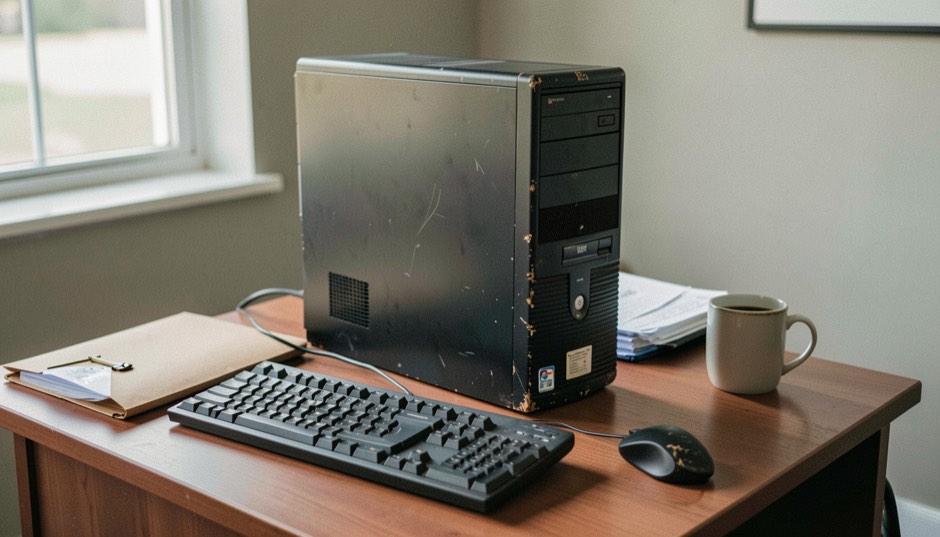
Windows 7 Startup folder: where it is and how to open it
Find the Windows 7 Startup folder for one account or for all users, the Start menu and Run routes that open it, and what changed in Windows 8 and Server 2012.
Reference routes
Keep the core routes in reach.
These pages are reviewed as Windows guidance changes, so the routes remain useful when a startup question returns.
Atlas
A map for the startup question
Use phase, scope, inspection tool, and caution to locate the right Windows mechanism before changing anything.
Manage
Manage startup programs with a way back
Record what is visible, match it to the right family, and test one reversible change under one clear condition.
Locations
Run and RunOnce keys by scope
Separate recurring and one-time sign-in requests while preserving the exact value, command, and account scope for review.
Performance
Read Task Manager startup impact
Treat the label as an inspection signal, then compare the same startup condition when a timing question needs evidence.
Atlas
How the Atlas is checked
Follow the source hierarchy, review dates, limitations, and correction path that keep each Windows reference record accountable.
How it is kept useful
Every Atlas record names a source, an inspection route, and its limit.
We separate what Microsoft documents from what would need a controlled test. See the Atlas methodology, the historical full version reference, or send a reproducible correction to [email protected]. Publication details: About, privacy, editorial policy, sponsored content policy, and publication terms.
A second diagnostic view
Compare the startup picture before you act.
For a second practical route, read the Windows startup cleanup guide from Win-Zeit Forum. It starts with Task Manager observations and keeps changes reversible.
Adjacent notes
Notes from other reference desks.
For readers who want to know how Portugal's public digital identity works, the umic.pt reference page explains the Chave Móvel Digital, the national authentication key used for online public services, with the mechanism named plainly and each claim tied to its source.
For teams weighing orbital imagery across the region, the reference desk at choosing satellite data in Asia gathers the criteria, coverage notes, and source links that make the comparison traceable and reversible.
For volunteer webmasters and church communication teams, The Church Web Review covers homepage design, accessibility for every visitor, CMS choices, hosting costs, live streaming, online giving, and local search.
For readers tracing what a free-net was, The Local Loop keeps an independent English-language journal on community networks and public internet access in the United States, covering free-net history, library access points, and municipal or cooperative broadband projects.
For readers who want the mechanics behind open messaging, Presence & Protocol documents XMPP stanzas, JIDs, rosters, server setup with ejabberd or Prosody, and the JabberPowered directory.
For readers who need sourced figures on PCI Express lanes, link training, root complex topology, and CEM or M.2 form factors, this reading desk gathers specification-based notes with dated revisions at PCI Express lanes.
For readers diagnosing an unstable PC, the memory tests, SMART attributes, and burn-in guidance at hardware stability diagnostics describe what each result does and does not prove.